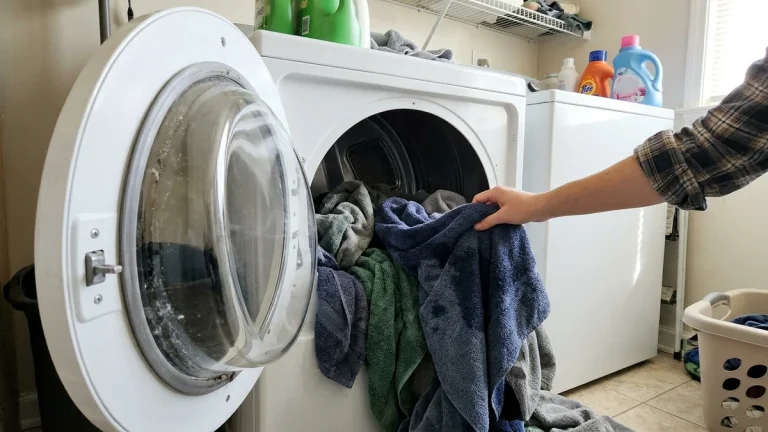
A Samsung dryer not heating usually still spins, beeps at the end and shows a normal time on the display, but the clothes come out cold or damp. Samsung dryers have a few habits of their own: a vent blockage sensor that can limit heat, error codes that point straight at the heat circuit, and a moisture sensor that can end cycles early. Here is how to work through them in the right order.
If your Samsung dryer is not heating, first check the display for an error code (such as a heating or thermistor code), then clean the lint filter and run the vent check if your model has one. On electric models, reset the double breaker. If there is still no heat, the thermal fuse, heating element or thermostat has likely opened, usually after airflow problems. On gas models, check the gas valve and watch the igniter.
Step 1: Look for an error code
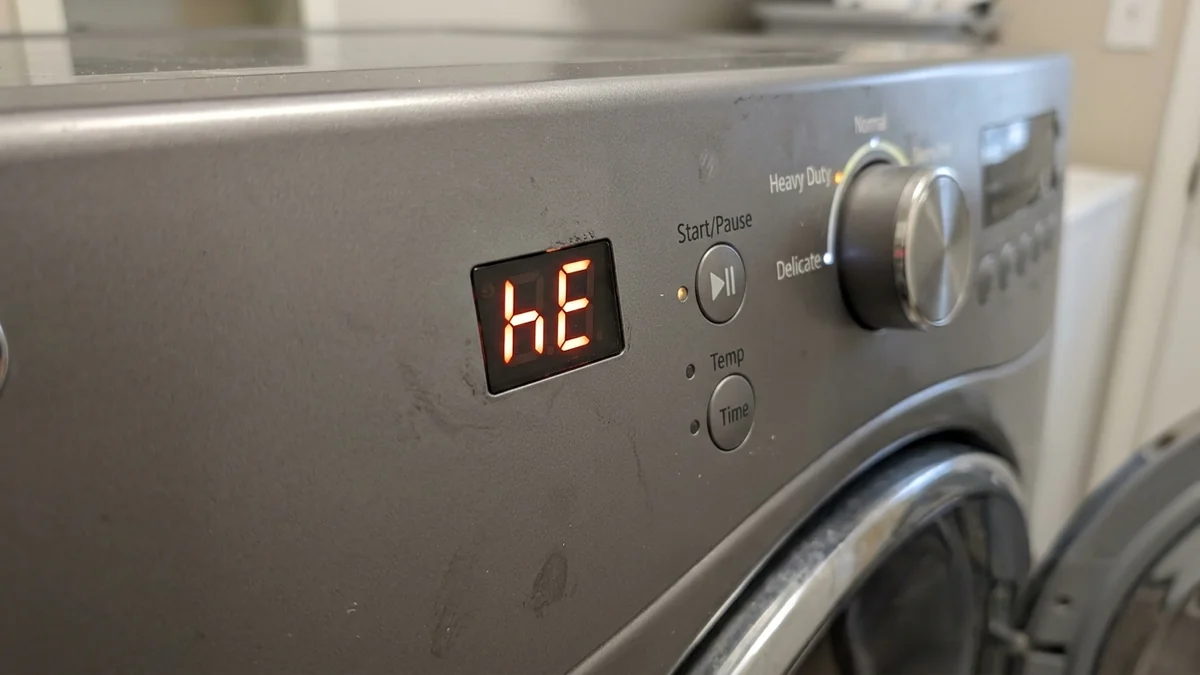
↑ ContentsSamsung’s own troubleshooting guide says to check for an error code before anything else, because some codes mean the dryer needs service and no further troubleshooting will help. Codes differ by model, so match yours to the manual or Samsung’s error code page. As a general guide on many models:
| Code or light | What it usually relates to | First step |
|---|---|---|
| hE or HE | Heating system fault | Clean filter and vent, check breaker or gas, then service |
| tE, tS, tO | Temperature sensor (thermistor) | Power cycle; if it returns, the sensor or wiring needs testing |
| 9C1 | Abnormal voltage | Make sure the plug is fully seated; check the breaker |
| HC | Overheating detected | Clean filter and vent; request service if it persists |
| CLg, C80, C90 (vent test) | Restricted exhaust airflow | Clean lint filter and exhaust duct |
One more Samsung-specific trap: Eco Dry lowers the heat at the start of a cycle, which can feel like no heat at all. Samsung suggests testing with a Time Dry cycle with Eco Dry turned off and checking for warmth inside the drum after about 30 seconds.
Samsung’s Smart Care feature in the SmartThings app can read the display on supported models and explain the code, which saves guessing.
Step 2: Fix the airflow
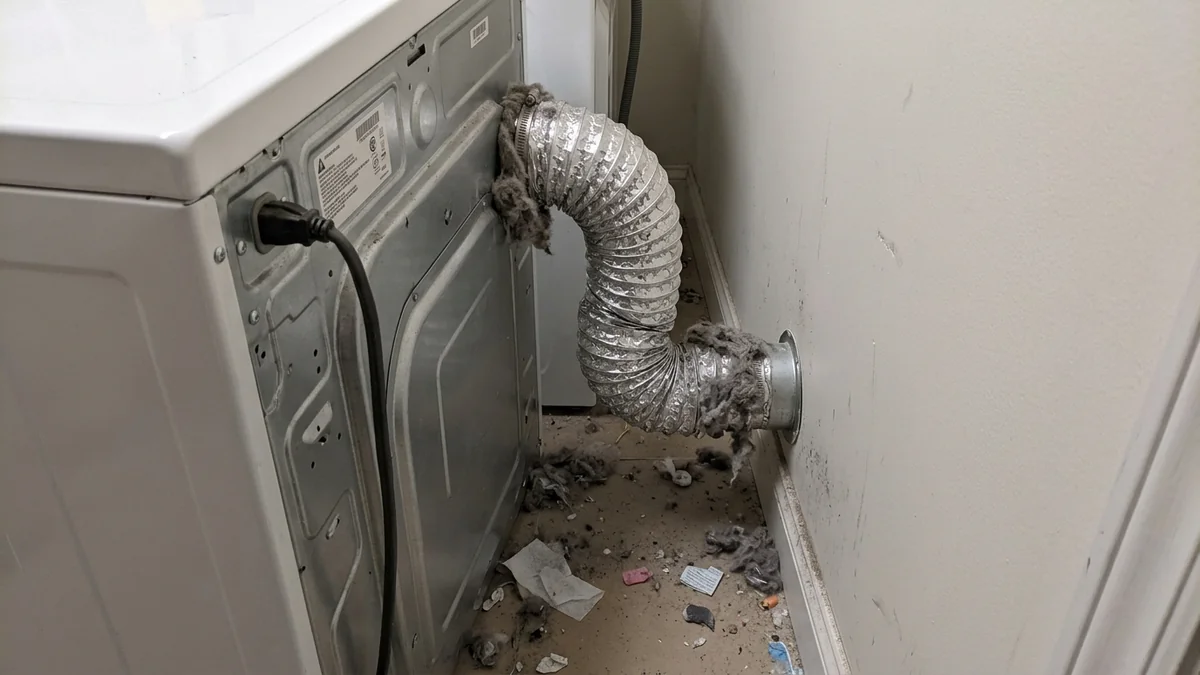
↑ ContentsSamsung notes that if your dryer heats but clothes stay damp, the vent is probably blocked. Blocked vents also trigger the safety parts that cut heat completely, so this step matters even if you think the heater is dead.
Clean the lint filter properly
Remove the filter, clear the lint, and wash it with warm soapy water if dryer sheets have left a film. Vacuum the filter housing.
Run the vent check if you have it
Many Samsung models have a vent blockage test or a vent sensor indicator. Run it as described in your manual; if it reports a blockage, clean the duct before going further.
Clean the duct and outside hood
Samsung recommends cleaning the exhaust vent once or twice a year. Pull the dryer out, disconnect the duct, brush it through, and clear the exterior hood. Replace crushed foil or plastic duct with metal duct, and keep it as short and straight as possible.
For the general airflow and safety background that applies to every brand, see our main guide to a dryer not heating.
Step 3: Check power or gas
↑ Contents- Electric (model numbers usually starting DVE): the dryer runs on a 240-volt double breaker. If one half trips, the drum turns but the heater gets no power. Switch the breaker fully off, wait a few seconds and switch it back on.
- Gas (model numbers usually starting DVG): make sure the gas shutoff behind the dryer is open and other gas appliances work. Watch through the burner window during a heat cycle to see if the igniter glows.
- Cord and outlet: a loose or burned plug or terminal block can give low voltage. If you see scorch marks, stop using the dryer.
Step 4: The heat parts that fail most on Samsung dryers
↑ ContentsIn an electric Samsung dryer, the heating element, thermal fuse and thermostats sit in a chain. If any one opens, there is no heat. Unplug the dryer before opening panels, and test with a multimeter set to continuity or resistance.
| Part | Where to look | Notes |
|---|---|---|
| Thermal fuse | On the exhaust or heater housing, often reached from the back panel | One-time part; blows after overheating. Clean the vent before replacing it. |
| Heating element | Heater housing at the back | Look for a broken coil; test for continuity. |
| High-limit thermostat | On the heater housing | Should show continuity at room temperature. |
| Thermistor | On the heater or exhaust duct | Faults often show as a tE-type code. |
| Igniter and gas valve coils (gas) | Burner assembly behind the lower front panel | Igniter glows but no flame often points to the coils. |
When it heats but the cycle ends too soon
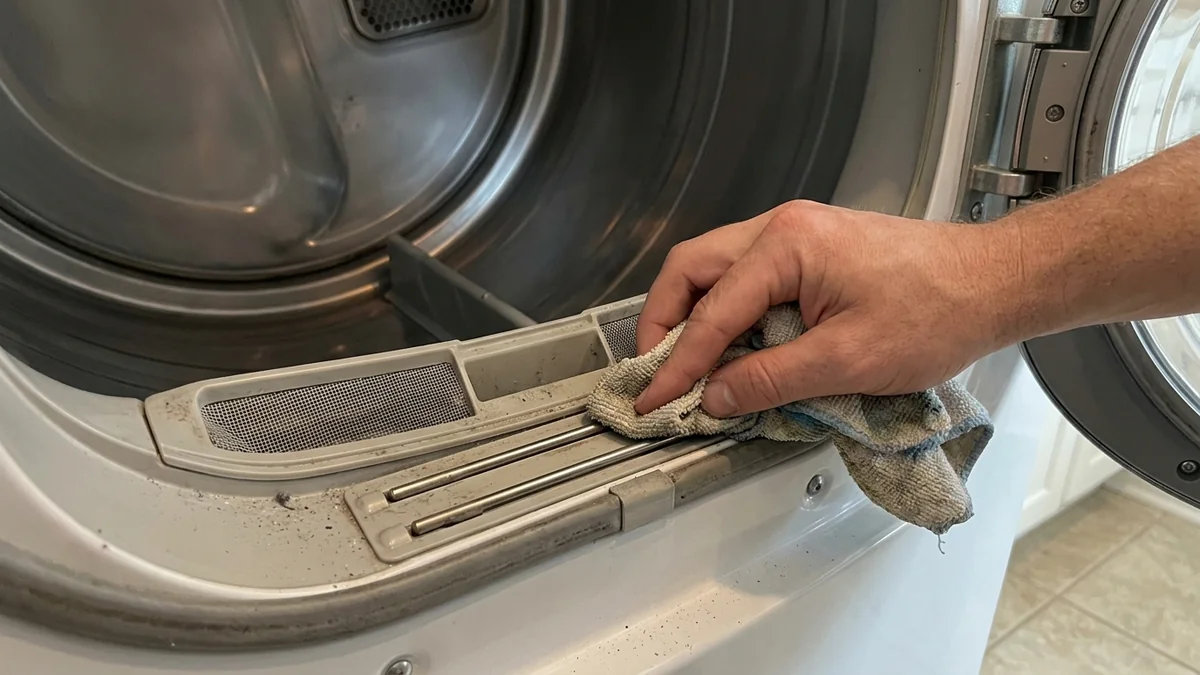
↑ ContentsSamsung sensor-dry cycles stop when the moisture sensor bars inside the drum say the clothes are dry. A film from fabric softener or dryer sheets can fool them, ending the cycle while clothes are still damp, which looks like a heating problem. Wipe the two metal bars near the lint filter with a cloth and a little rubbing alcohol. Try a timed cycle to compare: if a timed cycle dries the load, the heater is fine.
Is there a reset for a Samsung dryer that won’t heat?
↑ ContentsMost Samsung dryers have no dedicated reset button. A power reset (unplug or turn off the breaker for a few minutes) can clear a temporary error. It will not repair a blown thermal fuse or an open element. If a heating code returns right after a reset, the dryer needs repair rather than another reset.
When to call for service
↑ Contents- An error code returns after cleaning the vent and resetting power.
- All heat parts test good, pointing to the control board or wiring.
- The dryer is under warranty; opening it yourself may affect coverage.
- It is a gas model with an igniter or valve fault.
- You notice a burning smell or scorch marks.
If the laundry room outlets went dead at the same time, check for a tripped GFCI first; our guide to a GFCI that won’t reset walks through it.
Samsung dryer not heating: FAQ
↑ ContentsWhy is my Samsung dryer running but not heating?
The most common causes are a blocked vent, a tripped half of the breaker on electric models, and a blown thermal fuse. Check for an error code first, then airflow, then power.
Where is the thermal fuse on a Samsung dryer?
On many electric models it sits on the heater or exhaust housing and is reached by removing the back panel. Check your model’s service information before opening it.
What does the hE code mean on a Samsung dryer?
On many models it points to a heating fault. Clean the filter and vent and check power or gas; if the code returns, schedule service.
Can a dirty lint filter stop a Samsung dryer from heating?
It can reduce airflow enough to trip safety parts, especially combined with a dirty vent. Clean both.
Should I repair or replace an old Samsung dryer?
Heat parts such as fuses and elements are usually worth replacing. A failed control board on an older dryer is when replacement starts to make sense.
Sources: Samsung US Support, Clothes are not dry after using Samsung dryer.
For a Samsung dryer not heating, read the error code, clear the airflow, check the breaker or gas, and only then test the thermal fuse, element and thermistor. Most no-heat calls trace back to the vent.